
BETA
CanaryWP:
WordPress Testing for Safer Updates
CanaryWP tests your WordPress website in an isolated environment to identify potential issues and risks before updates reach production.
Isolated Environments
Automated Site Testing
Backup & Restore
Scheduled Maintenance
Why WordPress testing matters
Plugin updates, theme changes, PHP upgrades, database imports, redirects, and content edits can break production in ways that are hard to catch manually. CanaryWP gives teams a repeatable place to test, inspect, and document changes before they go live.
Production risk
Updates can affect checkout, forms, layouts, admin access, performance, and customer-facing pages.
Manual review gaps
One-off staging sites often leave no durable record of what was tested, what passed, or what still needs review.
Operational noise
Logs, backups, uptime, screenshots, and release notes often live in different tools, making decisions slower and harder to audit.
The CanaryWP approach
Import-aware testing environments
Restore a WordPress archive into an isolated CanaryWP instance and review the site without touching the source.
Automated site checks
Run smoke checks, admin checks, page checks, form checks, screenshots, and visual comparisons.
Extension and runtime validation
Review plugins, themes, WordPress core, PHP runtime, redirects, database changes, and content behavior.
Backup and rollback context
Keep backup history and operational state visible while deciding whether a release is ready.
Scheduler jobs
Create recurring maintenance workflows with selected actions, scripts, reports, and run history.
CanaryWing assistant
Use contextual AI help to summarize instance health, failed checks, logs, and next actions.
From source site to release decision
CanaryWP creates a repeatable WordPress testing workflow before production releases.
Connect or Import
Import a source site or connect an existing WordPress site.
Create Instance
Spin up an isolated CanaryWP instance that mirrors production.
Run Checks
Execute automated checks, reviews, and visual comparisons
Approve Changes
Review evidence, logs, backups, and fixtures.
Release with Confidence
Promote, rerun, fix, or schedule next changes.
What CanaryWP helps you manage
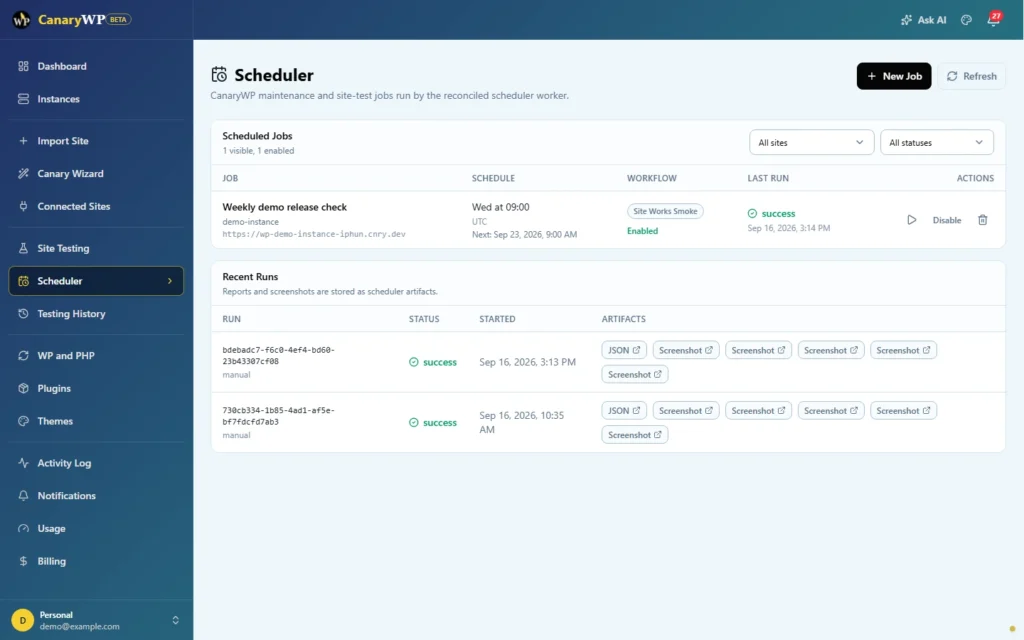
Automation
Schedule recurring checks, scripts, backups, reports, and maintenance jobs.
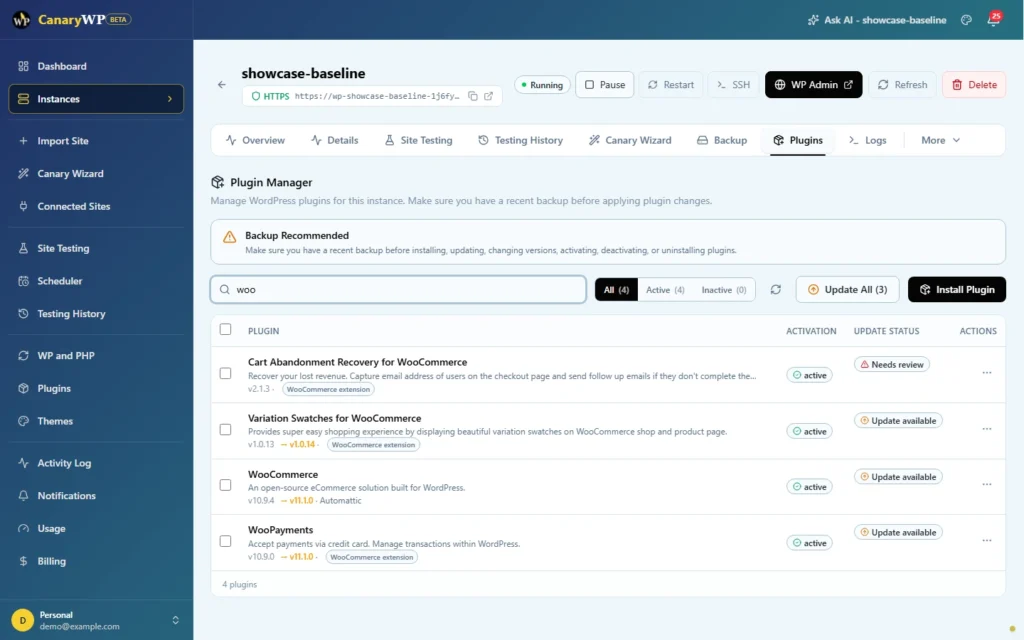
Maintenance
Validate plugins, themes, WordPress core, PHP runtime, redirects, and database operations.
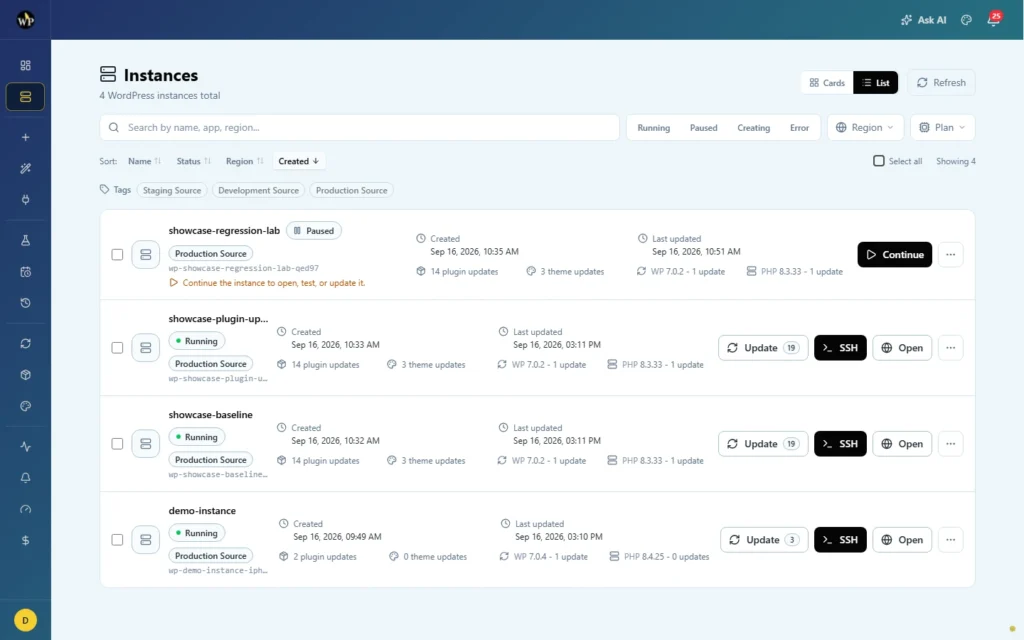
Instances
Create, import, clone, start, stop, tag, filter, and manage WordPress environments.
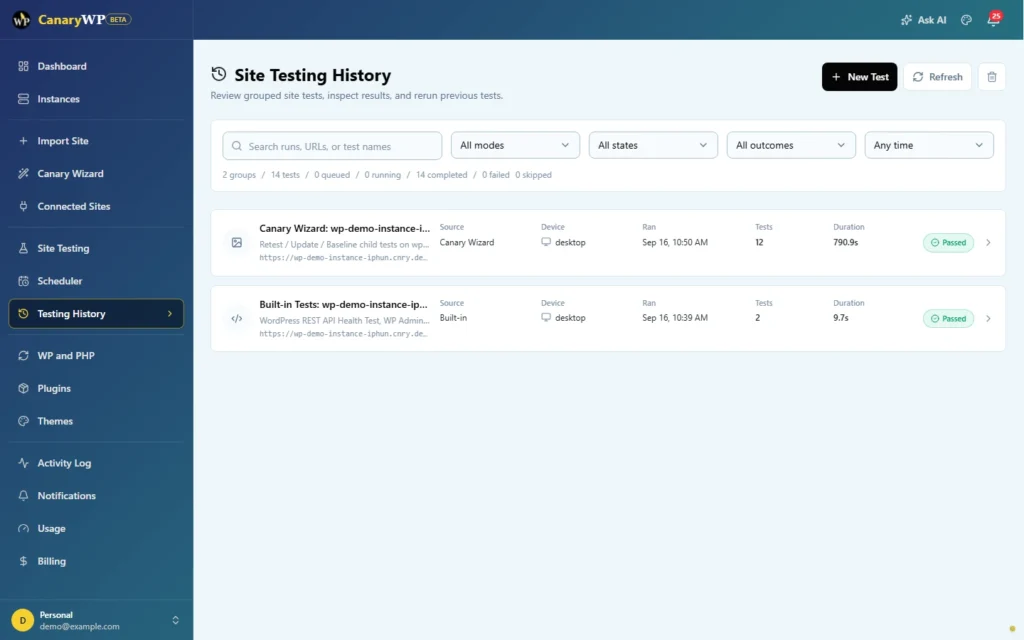
Testing
Run smoke tests, visual comparisons, screenshots, and history reviews.
Release readiness
Every release needs a record.
- Test run summaries.
- Screenshots and visual diffs.
- Scheduler artifacts.
- Activity logs.
- Notifications and incidents.
- Backup history.
- Runtime and plugin state.
Ready to test before production?
Bring safer WordPress releases into your workflow.
Join the beta and help shape CanaryWP for agencies, builders, and WordPress operators who need repeatable release checks